

I would highly recommend you for your knowledge of the industry, your responsiveness, and the core capabilities that you offer.
Krishnan NarayanDirector of IT, Grand Design RV
Get all the benefits of NetSuite plus features built specifically for manufacturers of RVs, trailers, boats, specialty vehicles, work trucks, and more.
Summary
RVS for NetSuite is an ERP module developed by Solution Source that transforms NetSuite into a system designed for unit-based production.
Built for
Manufacturers of RVs, trailers, boats, specialty vehicles, work trucks, conversion vans and more
RVS for NetSuite is an ERP module developed by Solution Source that transforms NetSuite into a system designed for unit-based production. Get best-in-class cloud ERP and CRM functionality without compromising on the specific features you need.
Build accurate quotes and orders fast. Series, model, and option rules guarantee every unit is valid before it hits the floor.
Batch-generate work orders with real-time, accurate BOMs based on each unit's configuration.
Set online and offline dates across the line. Reschedule with confidence as orders shift, with full visibility for all teams.
Automatically generate valid VINs and HINs. No spreadsheets, no manual lookups, no transposition errors.
Attach appliance brands, models, and serial numbers directly to each unit in the system. Search, recall, and audit — long after delivery.
Manage claims, vendor chargebacks, and NHTSA reporting in one place — from unit registration through reimbursement.
Give dealers a clean, permission-controlled channel to submit warranty claims — and to see exactly the unit data you choose to share.
Run multi-stage QA tests with a tablet app on the floor. Capture defects with photos and address issues before delivery.
Get an online store in weeks, not quarters. Provide a modern webstore experience without a custom-development budget.










Unit Record – Gives easy access to each vehicle’s unique information and related transactions.
Series & Models – Create Series & Model relationships to define available features, pricing, and discounts. Group & filter data systemwide by Series or Model.
Unit Order Configurator – Create quotes and orders quickly and accurately, while ensuring that all orders follow your rules for a valid configuration.
Standard Unit Order Printouts – Generate MSO, MSRP, and CCI/NVIS printouts with accurate unit-specific data populated automatically.
Batch Work Order Creation – Filter open Unit Orders by Location, Series, and Model, then quickly generate groups of Work Orders to be placed on a production run.
Unit Scheduling – Set online and offline dates with tools that help you coordinate and adjust production schedules with ease.
VIN Generation – Automatically generate valid VINs/HINs.
Unit Appliance Tracking – Attach brands, models, and serial numbers directly to a Unit in the system, making it easy to access and search later.
Auto Item Numbering By Category – Generate Item Numbers within a scheme you control.
Purchase Order Pre-Writes – Streamline repeat orders by creating templates for sets of items commonly purchased from specific vendors.
Standard Dealer Portal – Allow Dealers to submit Pre-Authorizations online and Claim once approved. Customize permissions to show Dealers exactly the info you choose.
Programs & Spiffs – Create sales incentive programs and track effectiveness. Pay dealer reps faster and link spiffs to specific unit registrations to avoid overpayments.
Warranty Brands – Configure Flat Rate Codes to require the correct information on Warranty transactions, based on the specific brand of part used on a particular Unit.
WIP & Station Tracking Mobile App – Check in Units at customizable stations and report on Work-In-Process (WIP) inventory value and item quantities in real-time.
Appliance Scanning Mobile App – Quickly capture barcoded serial information from the production line and store on a pre-populated list of appliances linked to a specific Unit.
RVS Dealer Portal built for SuiteCommerce – Provide a streamlined dealer experience that is up and running quickly, without a big custom development investment. Requires NetSuite SuiteCommerce subscription.



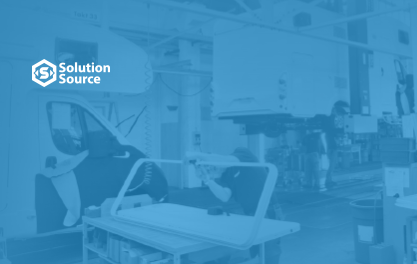
See how Grand Design RV found the fastest path to success with Solution Source

Decades of industry experience distilled into essential insights every RV leader should know.

See how our solutions close the gap for RV Manufacturers